

Every year, at the exact moment your reporting calendar is at its most demanding, XBRL tagging lands on the desk of someone who did not sign up to be an XBRL specialist.
The annual report is done. The numbers have been reviewed, challenged, and signed off. The auditors have had their say. And then, before any of it can be submitted, it has to be tagged. Every numeric fact has to be mapped to a taxonomy concept. Every narrative disclosure marked up and matched. Every configuration value has to be set correctly, or the whole thing fails validation in ways that are genuinely difficult to interpret without specialist knowledge.
For most finance teams, this is where the confidence drains out of a process that was otherwise under control.
It doesn't have to work this way. And with the Lucanet Tagger Agent, it won't.
The real cost of manual tagging
The obvious cost of manual XBRL tagging is time. A standard ESEF annual report tagged manually typically takes two to three days for narrative sections and half a day to a day for numeric facts. At year-end, when your team is already stretched, that's a significant block of time that has to be carved out for a task that sits outside most finance professionals' core competency.
But the time cost is actually a smaller problem.
The bigger cost is the expertise gap, and what happens when it shows up at the worst possible moment.
XBRL tagging requires familiarity with taxonomy structures that most finance teams encounter once or twice a year. The IFRS taxonomy alone contains thousands of concepts. Choosing the right one for each line item requires understanding both the taxonomy's logic and the nuances of your own disclosures. Do it correctly and nobody notices. Do it incorrectly and you get a validation error or worse, a filing that passes technical validation but gets flagged by your auditor or regulator because the tag doesn't accurately represent the underlying disclosure.
The result is that many finance teams end up dependent on external consultants, internal XBRL specialists, or support calls to get through each filing season. That dependency adds cost, adds time, and adds a layer of process that shouldn't be necessary for a task that is, at its core, about accurately representing financial information you already understand better than anyone.
Where filing errors actually come from
A majority of XBRL filing errors don't originate in the tagging step at all. They originate in the project setup.
When you create an XBRL project, you have to configure a range of technical values – e.g. taxonomy version, period context, entity identifiers, decimal scale – before you tag a single item. Get any of these wrong, and the error won't surface immediately. Instead, it propagates silently through every tag placed afterwards. By the time the error is caught, you may have spent days undoing and redoing tags.
The traditional response to this problem has been documentation - guidance notes, checklist PDFs, training sessions. The Lucanet approach is to remove the problem entirely. When you create a new project with the Lucanet Tagger Agent, you select your mandate and filing year. The platform applies all required technical configuration values automatically, based on what the relevant regulator requires for that specific filing year. You confirm your entity details and period. The project is ready.
Another source of errors is validation feedback. If you’ve ever seen a validation error message from a desktop XBRL tagger, you’ll recognize this experience. The message is a technical code and a string of XML that accurately describes what is wrong at the machine level and tells you almost nothing useful at the human level. Which element is affected? What does it mean in plain English? What do I actually need to do to fix it?
The Tagger Agent handles the cumbersome task of manual tagging, allowing you to focus on reviewing rather than tagging. This is a deliberate choice to keep the human in the loop: the agent tags, the reviewer verifies. As a result, there are fewer comments from the editors.
With Lucanet’s Tagger Agent, every validation error is classified as either blocking (the filing will fail, and this must be fixed) or advisory (the filing will pass but an auditor may raise a question). Where possible each error links directly to the affected element and includes a suggested fix where the resolution follows a clear pattern.
The goal is that a finance professional with no XBRL background can read a validation error, understand what it means, and resolve it – without raising a support ticket.
What AI-assisted tagging actually means
When people hear "AI-assisted tagging" for the first time, two questions tend to follow quickly. The first is: how does it actually work? The second, usually asked more carefully, is: what happens when it gets something wrong?
Both are fair questions. Here are direct answers.
How it works
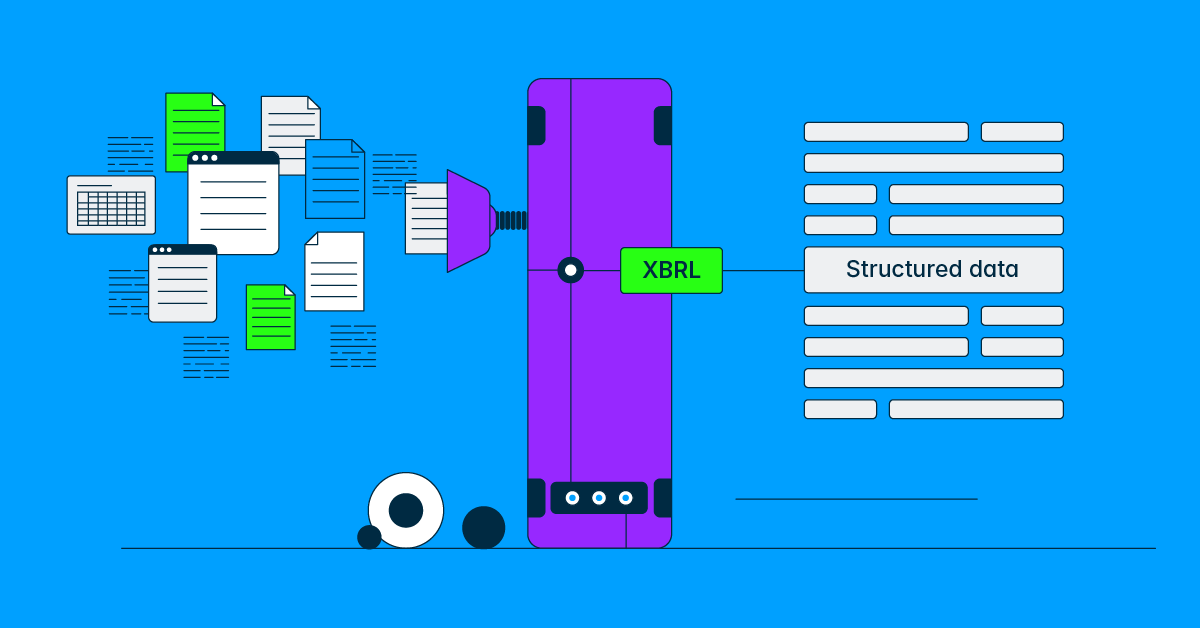
When you upload your document to Lucanet’s Tagger Agent – Word or PDF – it analyzes the content and proposes taxonomy concept assignments for every numeric fact and narrative text block. It works from the taxonomy's own structure and definitions, reasoning about which concept best matches each item based on what the concept is designed to represent.
Proposals are organized into three tiers based on the Tagger Agent's confidence in each suggestion:
- High-confidence proposals: typically well-structured numeric facts with clear labels are presented in a summary view for fast review. You can scan and accept these in bulk.
- Medium-confidence proposals: are presented individually, one decision at a time.
- Low-confidence items: Anything the Tagger Agent could not attempt is flagged clearly for manual tagging.
This means your review time is focused where the uncertainty is not distributed evenly across hundreds of items, most of which are straightforward.
The impact: this cuts the effort involved by up to 95%, with no implementation project and no IT involvement required. What used to be a recurring specialist cost becomes a task your own team runs
This workflow shift is fundamental: instead of spending days manually creating tags from scratch, you invest your time reviewing and refining AI suggestions, focusing your expertise where it matters most.
Finally, like all Lucanet’s workflow agents, the Tagger Agent can by accessed via Lucanet Lume, the conversational layer that connects you to the right agent with a single question. And all this is built on Lucanet's Intelligence Core, the trust architecture behind the CFO Solution Platform. That means your data stays in your chosen region, every action is logged, and your team reviews and approves every output before it's finalized.
What happens when it gets something wrong
Lucanet Tagger Agent gets things wrong sometimes. This is not a caveat buried in the small print – it is a design premise.
The review interface exists precisely because proposals need human judgment applied to them. Every proposal, including those in the high-confidence bulk-accept view, can be adjusted, rejected, or overridden before you export your filing package. Changing a concept assignment, adjusting the boundary of a narrative text block, splitting a block into two separate tags; all of these are available actions in the review interface.
Nothing is applied to your filing without your confirmation. You are not automating the filing. You are accelerating the review.
The responsibility for the accuracy of your filing remains with you, as it should. The Tagger Agent is a starting point, not a sign-off. The difference is that the starting point is now a structured set of proposals organized by confidence, rather than a blank taxonomy and a document you are tagging from scratch.
Built for European reporting standards
Lucanet’s Tagger Agent supports all IFRS-based reporting requirements, including ESEF (European Single Electronic Format), UKSEF, and IFRS-based NL GAAP filings. In addition, it supports PDF and Word-based reports. Finally, The Tagger Agent is XBRL Certified™, meeting the global standard for creating and validating XBRL digital reports.
Ready for your reporting season
Whether you're preparing your first XBRL report or your hundredth, the Tagger Agent enables you to achieve compliance faster, more accurately, and at a fraction of traditional costs.
Join our webinar to see the Tagger Agent in action and learn how to maximize its capabilities for your reporting workflow.
